your cursor has a home — visit the top of the page
Live demo on this page — no install

Talk. It works. You watch.

Co-Agent turns your Mac or Windows PC into mission control. Talk to Claude, Codex, Gemini, and Hermes, get screen guidance, transcribe and translate offline, use a teleprompter that follows you, and put a 3D avatar on your desktop. Local features work without an account.

Public beta · Mac: signed & notarized, macOS 14+ · Linux developer preview

Agent Computer
⤢ Expand⇩ Paste⇧ Copy
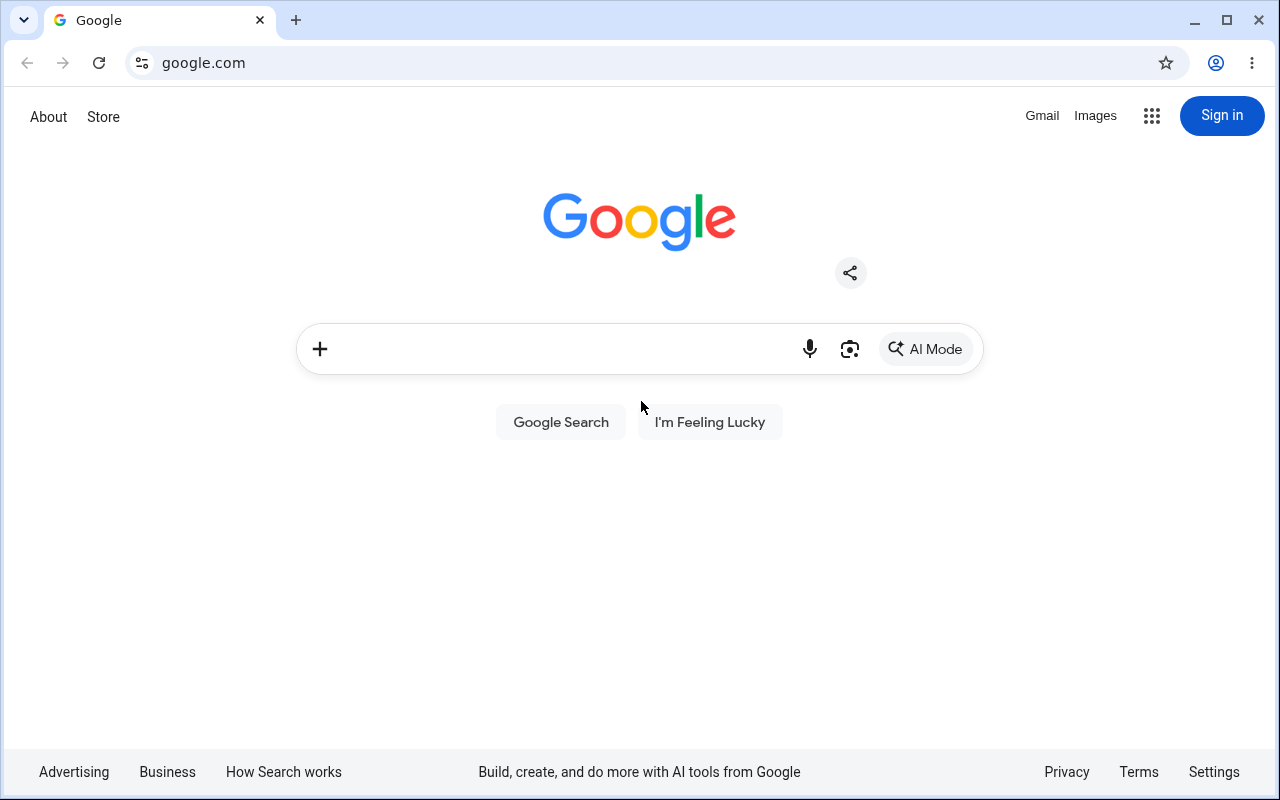
Co-Agent cloud desktop
Powering on your computer…
right here
“open google up there”

Don’t take our word for it.
Try it, right here.

These are not videos. The voice below is the real engine that ships in the app, and the computer is a real cloud desktop minted for you when you press the button.

demo

🖥 One real computer. Your voice drives it. live

Press start and a REAL disposable cloud desktop is created for you — then hold the talk button and boss it around. It points, it opens sites, you watch it happen on the machine below.

🖥️

A real Linux desktop, born when you click, wiped three minutes later. Nothing here is a video.

One notch. A whole crew.

Everything that runs locally on your computer is free, with no account, no AI key, and nothing phoning home. Paid tiers add hosted voice and a cloud computer for your agent.

The notch agent hub

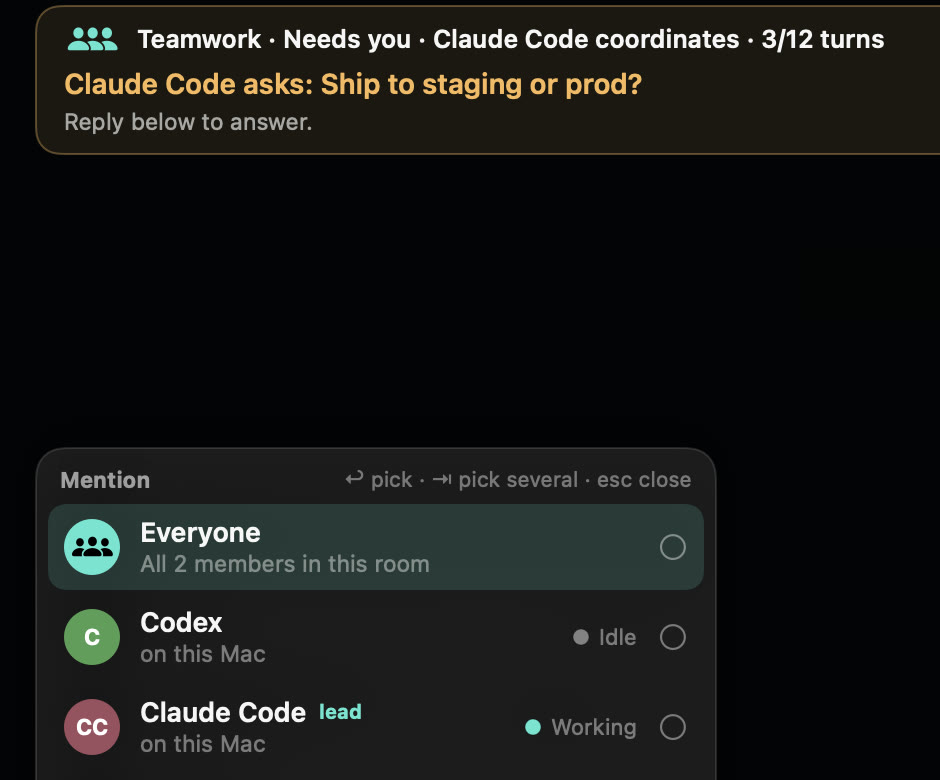
Chat with Claude, Codex, Gemini & Hermes without leaving what you're doing. Status lights for every connected agent, live activity verbs — thinking… reading… editing… — and whole conversations, right in the notch.

🎙

Live Transcribe

Real-time transcription of anything you hear or say, including meetings, videos, and calls, with on-device translation. Fully offline, fully free. Your own computer does the work.

📜

Intelligent Teleprompter

A prompter that listens and follows you. Skip a line, ad-lib, jump ahead — it keeps pace with your voice instead of a timer.

🎬

Workflow recorder

Do the task once while it records. Out come a beautiful review page, a polished PDF, and an agent-readable file — free, no AI key needed. Your process, captured for humans and agents alike.

📚

Saved guides that talk

Every recording becomes a guide you can replay with a voice walkthrough — it talks you through your own steps, click by click, whenever you need a refresher.

🐴

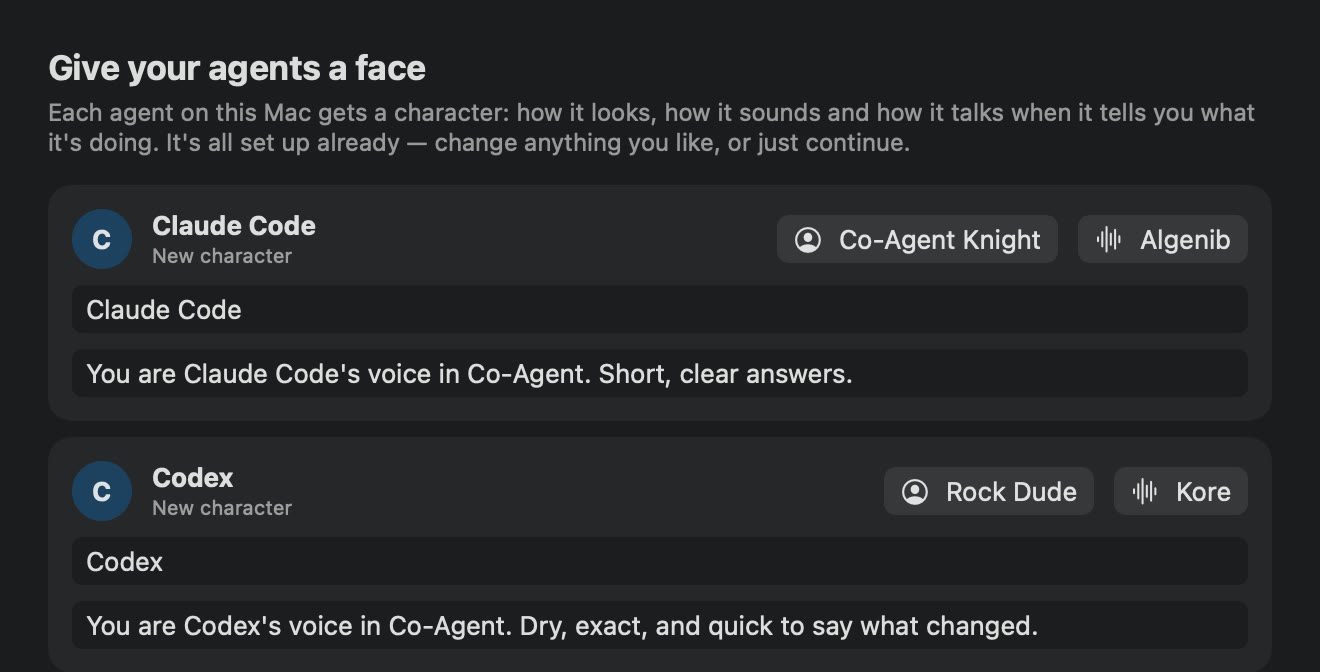
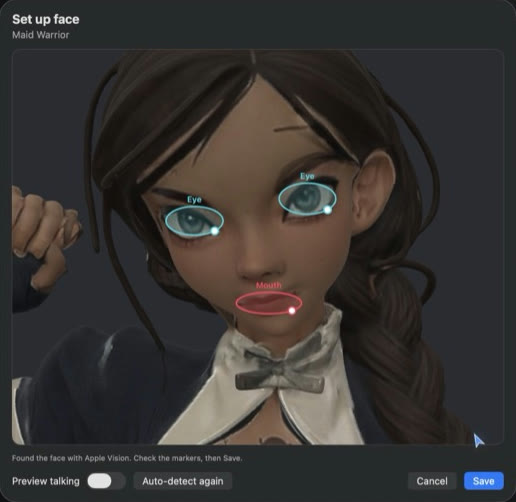
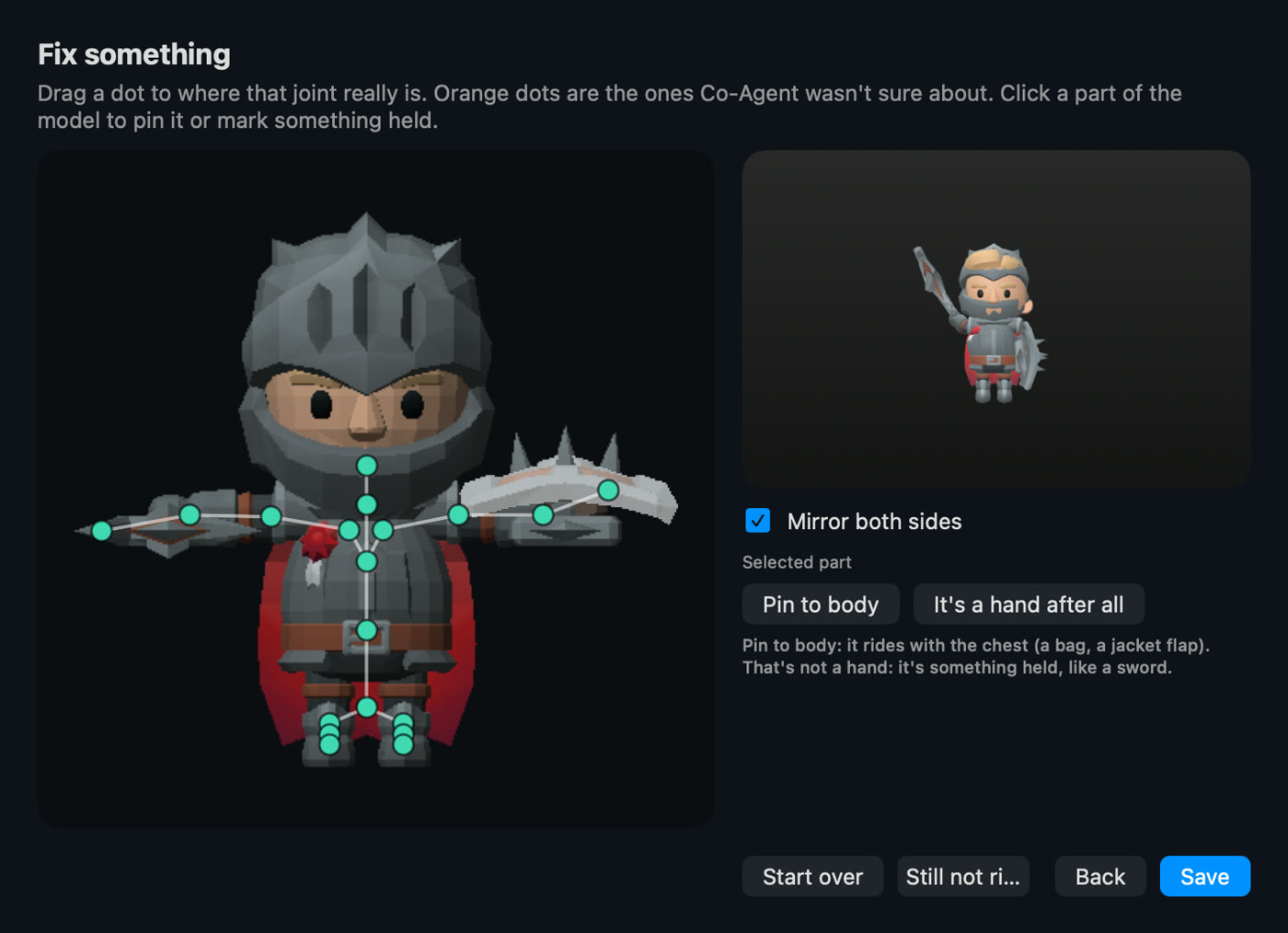
3D avatars + Rig Studio

Fully rigged GLB characters live on your desktop — idle, react, lip-sync when they speak. Found a model you love? Import any GLB and rig it yourself in the built-in Rig Studio.

🧑‍🏫

Classroom

Guide a student's screen from anywhere: a glowing pointer, highlights, and circles drawn right on their Mac while they keep full control. Built for tech coaching, onboarding, and family IT duty.

👻

Avatar visibility modes

Always there, only-when-speaking, or fully hidden — your avatar shows up exactly as much as you want it to. Present for a demo, invisible for deep work.

🖥

Its own computer

On Pro, your agent gets a private cloud desktop that boots on demand and sleeps when idle. It browses, downloads, installs, and works there — you watch live in a floating window.

Everything offline is free. No account, no cloud, no AI key — download it and it just works.

Watch it actually work.

Six moments from a normal day with Co-Agent. They play themselves — or click around.

Meet your coworkers.

These aren't stickers. They're fully rigged 3D characters that live on your desktop, react while you work, and speak when you talk to them. Drag one around — these are the real models that ship in the app.

🐴 The cast, in 3D real models

Drag to rotate · scroll or pinch to zoom · use ‹ › to switch avatars. Import your own GLB in the app and rig it in Rig Studio.

Knight

Built shy by design.

An assistant on your computer should be deaf and blind until you say otherwise. So it is.

🔇
Hears only while you hold the keys.Push-to-talk is physical: release the chord and the microphone lane is closed. No wake words, no always-listening.
👁
Sees one screenshot per question.Your screen is captured when you ask about it — not continuously. Silence sends nothing.
🔒
Voice is processed by Google's Gemini — never readable by us. Held-button audio and that turn's screenshot are encrypted end-to-end to Google's paid Gemini API (not used for training, per Google's terms). Our server only mints a single-use token that expires in minutes; it never sees your content.
🛡️
Blind Private Relay — nobody holds both halves. On by default, your voice reaches Google through our relay, so Google sees our server's address, not yours or your location. The relay only forwards encrypted bytes it can't read. We know who you are but never what you said; Google processes what you said but never learns who or where you are. (One toggle turns it off for a hair less latency.)
🏠
Your agent stays yours.Task handoffs run on YOUR agent on YOUR machine. Business context, files, memory — none of it routes through us.
🗑
The cloud computer is disposable.It's wiped minutes after you stop using it. Nothing persists unless you save it somewhere yourself.
Clicking your computer needs your approval.Real input on your machine pops an Allow/Deny card, every time, with a plain-English reason. Every action is receipted.

What we collect: your email address. That's the list. No trackers, no analytics, no ad pixels — on this site or in the app — and we never sell or share data, period. Emails are used for your account and occasional offers from us, with a working unsubscribe. Read the whole thing in plain English: the one-page privacy policy.

This demo page: holding the talk button streams your voice to our server and on to Google's Gemini Live API to generate the reply; release the button and the stream stops. Drawing on the page can also turn the microphone on (with your browser's permission and a clear on-screen indicator) so you can talk while you circle things — press Esc and it's off. We don't store demo audio. Demo computers are deleted automatically after three minutes.

Simple prices. Serious coworker.

Everything offline is free — no account needed. Pay only when your agents need hosted voice, or a computer of their own.

Plus

$15/mo
  • Everything free, plus hosted voice — no key needed
  • Talk to your screen in Live Mode
  • Avatars that speak with natural voices
  • Live tutorials & guided walkthroughs
  • Hosted Agent Computer
Buy Plus — $15/month
MOST POPULAR

Pro + Agent Computer

$30/mo
  • Everything in Plus
  • Private hosted Agent Computer
  • Boots in seconds, sleeps when idle
  • Your agent drives it — you watch live
  • Copy/paste bridge both directions
Buy Pro — $30/month

Lifetime

$100 one-time
  • Own the app forever — bring-your-own-key (BYOK) usage
  • Voice runs on your own Gemini key (free tier works)
  • Includes 1 year of updates
  • After the first year, $50 buys another year of updates — started if and when you choose
  • Hosted computer (add-on available)
Buy lifetime — $100

Already own lifetime? Buy another update year — $50

Agent Computer Add-on

$15/mo
  • Requires an eligible Co-Agent base plan
  • One private hosted Agent Computer
  • Available with Plus, Club-equivalent, or Lifetime app access
  • Does not include the Co-Agent app
  • Does not include hosted voice
Buy the add-on — $15/month

Questions.

What's actually free?

Everything that runs offline: Live Transcribe with on-device translation, the intelligent Teleprompter, the workflow recorder (review pages, PDFs, and agent files), saved guides with voice walkthroughs, dictation, and the full 3D avatar cast with Rig Studio. No account, no AI key, no trial clock. Paid tiers only add hosted voice and the cloud Agent Computer.

What do I need to run it?

On Mac, use macOS 14 or later; the Mac download is signed and notarized. On Windows, use a 64-bit Windows 11 PC. The current Windows beta is unsigned, so SmartScreen will warn about an unknown publisher; verify the published SHA-256 before running it. On Linux, the developer preview ships as an AppImage for ARM64 (aarch64) machines and VMs, with a PKGBUILD for Arch and Omarchy; the x86_64 build follows. It targets Wayland desktops such as Hyprland and Omarchy first, with sway and X11 sessions supported and GNOME and KDE through desktop portals. Verify the published SHA-256 before running it.

What AI powers the voice?

Google's Gemini Live models power speech understanding and the voice itself. Subscriptions include voice through our pooled keys with per-session single-use tokens; the $100 lifetime license is bring-your-own-key (BYOK) — it runs on your own Gemini key, and the free tier works. Heavy tasks run on your own agent — Hermes, Claude Code, or Codex.

Can it click things on my computer?

Only with your approval. Any real input on your machine raises an Allow/Deny card stating exactly what it wants to do, and every executed action is recorded in a local receipt you can audit.

What exactly is the Agent Computer?

A private Linux cloud desktop that exists when you need it. Your agent can browse, download files, install apps, and run long jobs there instead of on your machine. It boots in seconds from a warm pool, sleeps when you're not using it, and its files are disposable by design.

Is my data used for training?

We don't train anything on your data, and voice turns are processed through Google's paid Gemini API. We keep operational metering (token counts), not your content.